
Front
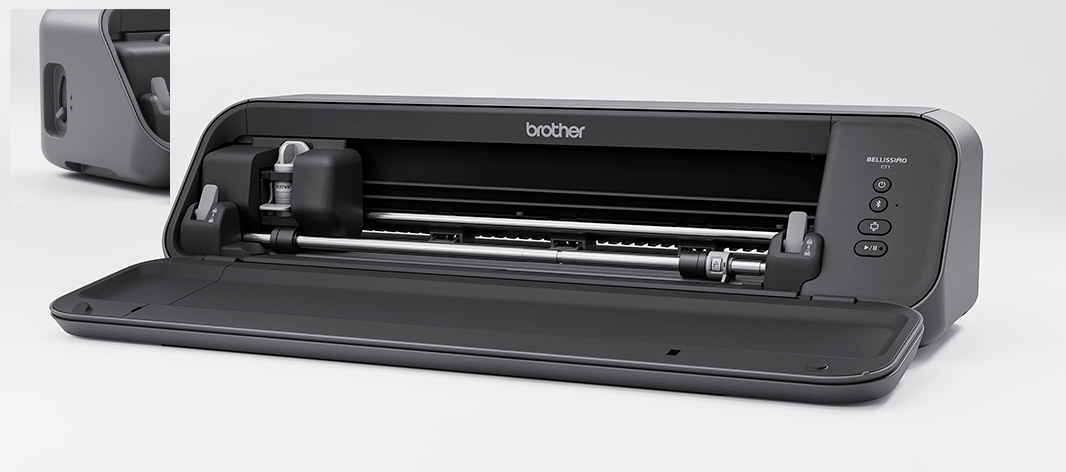
- Operation Buttons
- Carriage
- Shaft (front)
The Shaft (front)’s feed rollers feed the material or the mat.
- Shaft (back)
If you are not using a mat, both of the front and back shaft feed rollers feed the material.
- Shaft Release Lever
Lock or release the shaft. Use this when changing the feed roller position or clearing a jammed material or mat. This lever defaults to a locked position.
- Feed Roller
Feeds the material or mat backward and forward. Adjust the feed roller position according to the size of the material and whether or not a mat is being used.
- Roller Lock Button
Press this button to lock or release the feed roller on the right side when adjusting the feed roller position.
- Front Cover
Protects the feed rollers, carriage, holder, and other machine parts. Open the front cover when using the machine. Before closing the front cover, make sure that the shaft release lever (5) in the locked position.
- Feed Slot
Feeds the material or mat being loaded.
- Mode Change Lever
Adjust the position of the mode change lever according to the operation being performed. The up and down position of the shaft (back) (4) changes depending on the position of the mode change lever.
- Grips
Use the grips when moving the machine.