
Operation Buttons
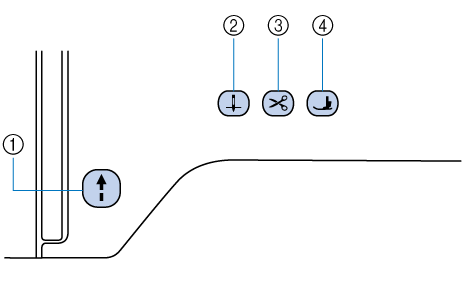
- “Start/Stop” button

Press the “Start/Stop” button to start or stop embroidering. The button changes color according to the machine’s operation mode.
Green: The machine is ready or is operating.
If the button flashes green slowly, the machine enters the power saving mode. (Setting the Power Saving Mode)Red: The machine is not ready. Orange: The machine is winding the bobbin thread, or the bobbin winder shaft is moved to the right side. - Needle position button

Press the needle position button to raise or lower the needle position.
- Thread cutter button

Press the thread cutter button after embroidering to automatically trim the excess thread.
- Presser foot lifter button

Press the presser foot lifter button to lower the presser foot and apply pressure to the fabric. Press this button again to raise the presser foot.