
Attaching the Presser Foot with the Included Adapter
Some presser feet require using the included adapter and small screw, for example, the walking foot and so on.
 |  |
Attaching the Included Adapter and Small Screw
Remove the presser foot.
Loosen the screw of the presser foot holder to remove the presser foot holder.
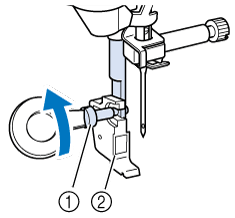
- Presser foot holder screw
- Presser foot holder
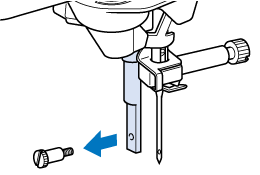
Remove the screw of the presser foot completely from the presser foot shaft.
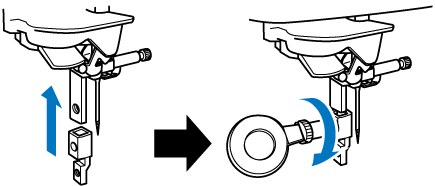
Set the adapter on the presser foot bar, aligning the flat side of the adapter opening with the flat side of the presser bar. Align the screw holes in the adapter and presser foot bar, and then securely tighten the screw with the disc-shaped screwdriver.
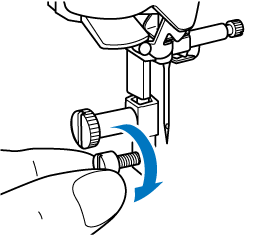
Turn the included small screw 2 or 3 times with your hand.
Touch
 to unlock all keys and buttons.