
Wireless LAN Settings
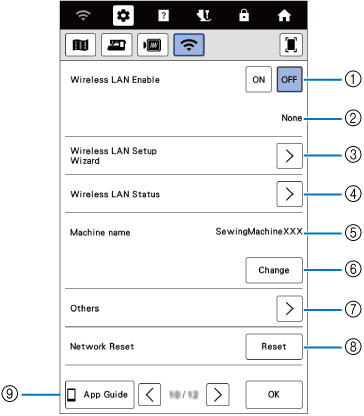
- Enable/Disable the wireless LAN function.
- Shows the connected SSID.
- Set the machine to connect to wireless LAN function.
- Check the wireless LAN status.
- Shows the machine name used on the wireless network.
- Change the machine name.
- Display other menus.
- Reset network operations.
- Display the introduction to the application. On smart devices with a QR reader app installed, scan the QR code to display a screen that shows how to install the app.
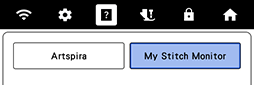
My Stitch Monitor: The machine's embroidering status can be monitored from your mobile device.
Artspira: You can transfer content published on the app to the embroidery machine and enjoy creating original works using the functions on the app.
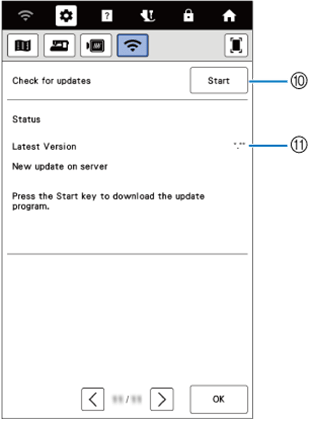
- If there is a new update program, download the update file.
- Display update program information.
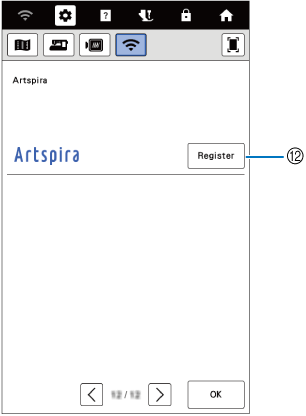
- Register the Artspira app.