

Home > Routine Maintenance > Replace Supplies > Replace the Fuser Unit


Replace the Fuser Unit
Before starting the replacement procedure, see Related Information: Replace Supplies.
Replace the Fuser Unit
- Press and hold
 to turn the machine off.
 - Unplug the power cord from the electrical socket.
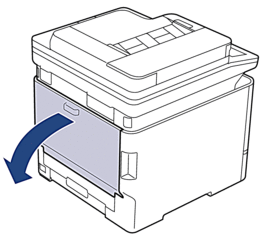
- Open the back cover.
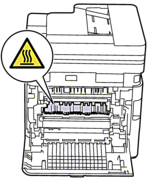
- WARNING
- HOT SURFACE
The machine's internal parts will be extremely hot. Wait for the machine to cool down before touching them.
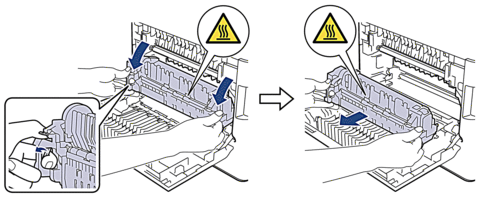
- Holding the handles on both sides, squeeze the grey levers on the fuser unit and pull downward. Apply downward pressure on the fuser unit and pull it out of the machine.
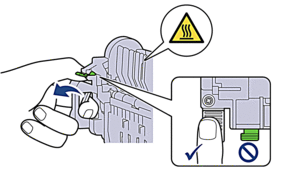
- NOTE
- DO NOT pull the green tabs down.
- Unpack the new fuser unit.
- Push the new fuser unit firmly into the machine. Be sure to insert the fuser unit completely into the machine.
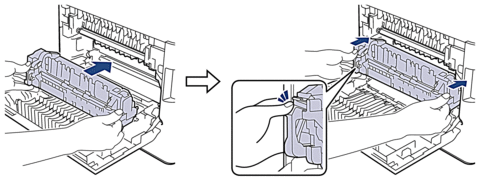
- IMPORTANT
- Do not use a fuser unit if it has been dropped.
- Close the back cover until it locks in the closed position.
- Plug in the power cord and press to turn the machine on.
Reset the Fuser Unit Counter
- Make sure the machine is turned on.
- Press and hold
 (Toner) for about five seconds.
 - Press [Fuser].
- Press [Yes].
Did you find the information you needed?