

Home > Set Up Your Printer > Install the Rechargeable Li-ion Battery


Install the Rechargeable Li-ion Battery
Make sure you charge the Rechargeable Li-ion battery (PA-BT-006) either in the printer or on the battery charger before initial use.
RJ-3235B/RJ-3255WB/RJ-4235B-L (with battery)/RJ-4255WB-L (with battery)
- Unlock the rechargeable Li-ion battery, and then remove it.
RJ-3235B/RJ-3255WB
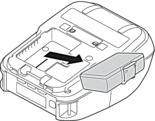
RJ-4235B-L/RJ-4255WB-L
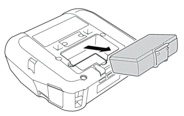
- Remove the insulating sheet.
RJ-3235B/RJ-3255WB
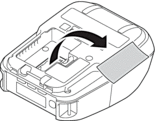
RJ-4235B-L/RJ-4255WB-L
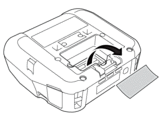
- Insert the rechargeable Li-ion battery until it locks into place.
RJ-3235B/RJ-3255WB
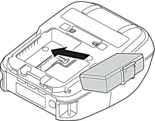
RJ-4235B-L/RJ-4255WB-L
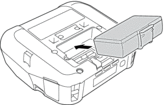
RJ-4235B/RJ-4255WB
- Unlock and remove the rechargeable Li-ion battery cover.
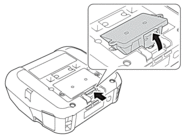
- Insert the rechargeable Li-ion battery until it locks into place.

- To remove the rechargeable Li-ion battery, reverse the installation procedure.
- Do not lose the rechargeable Li-ion battery cover as you will need to reattach it later.
Did you find the information you needed?