
TD-2320D
 |
FAQs & Troubleshooting |
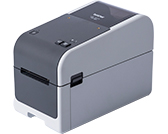
TD-2320D
Search by Keyword(s)
Categorized
Getting Started
Easy Tasks
Troubleshooting
Others
Popular
Updated:09/28/2026
These are the most viewed FAQs, ranked by popularity.
- 1.Although "Auto Power On" or "Power On When Plugged in" is set to On in the Printer Setting Tool, the printer does not turn on automatically.
- 2.How do I transfer label or slip templates?
- 3.Transfer Express cannot detect my printer when it is connected to a Windows 11 computer via USB.
- 4.Printing is not possible. (USB connection) (for Windows)
- 5.(Video) How to use Excel data to print labels (P-touch Editor 5.x for Windows)
Latest
These are the latest FAQs, sorted by last update date.
08/26/2026
How do I transfer label or slip templates?
08/26/2026
What iOS mobile application can I use?
08/26/2026
What Android™ mobile application can I use?
07/06/2026
Printing is not possible. (USB connection) (for Windows)
06/12/2026
I cannot print or scan via USB on Fedora 38 or later and on their derivatives (Linux)
