
HL-1210W
 |
FAQs & Troubleshooting |
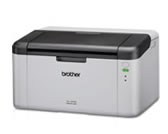
HL-1210W
Search by Keyword(s)
Categorized
How To / Troubleshooting
Setup / Settings
Consumables & Accessories / Routine Maintenance
Others
Popular
Updated:26.10.2026
These are the most viewed FAQs, ranked by popularity.
Latest
These are the latest FAQs, sorted by last update date.
01.10.2026
My Brother machine could not be found over the network when I installed drivers on my PC.
01.10.2026
The Error LED is still on or flashing after I replace the drum unit with a new one.
01.10.2026
I cannot connect my machine to the wireless network (For Macintosh)
01.10.2026
I cannot connect my machine to the wireless network (For Windows)
01.10.2026
Setup a Brother machine on a wireless (Wi-Fi) network using the supplied CD-ROM with a USB cable.