
DS-920DW
 |
FAQs & Troubleshooting |
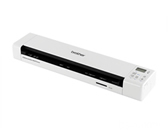
DS-920DW
Search by Keyword(s)
Categorised
How To / Troubleshooting
Setup / Settings
Consumables & Accessories / Routine Maintenance
Others
Popular
Updated:22/10/2026
These are the most viewed FAQs, ranked by popularity.
- 1.Cannot find the scanner (Error Code 2019: Initialization Failed)
- 2.OCR feature does not work.
- 3.My scanner is connected but it will not feed my document or do anything else.
- 4.Duplex scanning cannot be performed.
- 5.My wireless device (computer, smartphone, tablet, etc.) cannot access my scanner via the wireless LAN network.
Latest
These are the latest FAQs, sorted by last update date.
26/08/2026
Paper suitable for scanning
26/08/2026
Scan a document longer than 35.6 cm (14 inches).
10/06/2026
How to identify your Operating System (OS).
13/05/2026
The cover of the manual document feeder is open.
12/02/2026
I cannot find a file downloaded from the Brother support website (For Windows)