
PDS-6000F
 |
FAQs & Troubleshooting |
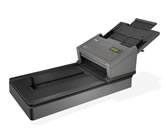
PDS-6000F
Search by Keyword(s)
Categorised
How To / Troubleshooting
Setup / Settings
Consumables & Accessories / Routine Maintenance
Others
Popular
Updated:22/10/2026
These are the most viewed FAQs, ranked by popularity.
Latest
These are the latest FAQs, sorted by last update date.
01/06/2026
How to identify your Operating System (OS).
05/02/2026
I cannot find a file downloaded from the Brother support website (For Windows)
27/02/2024
I cannot install the scanner drivers.
08/11/2023
How to scan a document from a Windows application?
13/09/2022
Change the image settings. (Using DS Capture)