
DCP-120C
 |
FAQs & Troubleshooting |
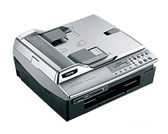
DCP-120C
Search by Keyword(s)
Categorized
How To / Troubleshooting
Setup / Settings
Consumables & Accessories / Routine Maintenance
Others
Popular
Updated:10/23/2026
These are the most viewed FAQs, ranked by popularity.
- 1.The error message "No Supported Devices Found" appears on the Brother iPrint&Scan (mobile device).
- 2.Scan and save a document in PDF format (Scan to File)
- 3.I cannot install Brother drivers on Debian 10 or later (Linux)
- 4.I'm experiencing a problem when printing from Adobe® Acrobat®/ Acrobat® Reader™/ Reader®. What can I do to correct this?
- 5.My printed documents are incomplete or a blue screen appears when printing or using PC-FAX after a Windows 10 update (March 2021)
Latest
These are the latest FAQs, sorted by last update date.
10/01/2026
Scan to Email does not work with Outlook2003 or Outlook2007. What can I do? (For ControlCenter3 Users)
10/01/2026
Scan to Email does not work with Outlook2002, Outlook2003 or Outlook2007. What can I do?
10/01/2026
Which E-mail packages are compatible with ControlCenter2? (For Windows 2000/XP)
10/01/2026
Which E-mail packages are compatible with ControlCenter3?
10/01/2026
When selecting grayscale printing in the printer driver, does this use only the black ink or all the ink cartridges to produce the grayscale image?