
MFC-J6910DW
 |
FAQs & Troubleshooting |
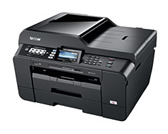
MFC-J6910DW
Search by Keyword(s)
Categorized
How To / Troubleshooting
Setup / Settings
Consumables & Accessories / Routine Maintenance
Others
Popular
Updated:22/10/2026
These are the most viewed FAQs, ranked by popularity.
- 1.Can I print from and scan to iPhone, iPod touch and iPad?
- 2.Replace Ink
- 3.The error message "No Supported Devices Found" appears on the Brother iPrint&Scan screen (mobile device).
- 4.How do I adjust my Brother machine's tray use for copying and faxing?
- 5.Clear the "Wrong Tray Setting" message from my Brother machine's display.
Latest
These are the latest FAQs, sorted by last update date.
01/10/2026
Print both sides of paper or a booklet automatically (2-Sided/Duplex Printing)
01/10/2026
Ink is still wet after printing on Glossy Paper and even after ink dries, smudge appears.
01/10/2026
Can I use voice mail on the same line as my Brother machine?
01/10/2026
When selecting grayscale printing in the printer driver, does this use only the black ink or all the ink cartridges to produce the grayscale image?
01/10/2026
Glossy Paper does not feed correctly.