


| |
|
| 1 |
Put paper in the paper tray or MP tray.
|
| 2 |
Open the Properties dialog box in the printer driver.
|
| 3 |
From the General tab, choose the Printing Preferences icon.
|
| 4 |
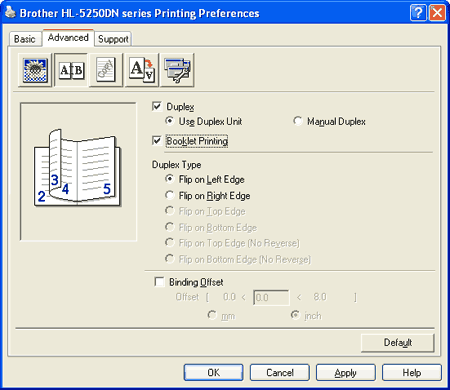
From the Advanced tab, choose Duplex and Use Duplex Unit or Manual Duplex, and then choose Booklet Printing.
|
| 5 |
Click OK. The printer will print a booklet automatically.
|
| |
|