



Enlarge or Reduce Copied Images
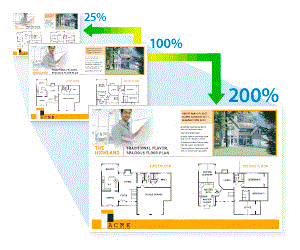
Select an enlargement or reduction ratio to resize your copied data.
DCP-L3528CDW
- Load your document.
- Press
 or
or  to enter the number of copies you want.
 - Press 复印/扫描选项.
- Press or to select [Enlarge/Reduce], and then press OK.
- Press or to select the option you want. Press OK.
- Do one of the following:
- If you select [Enlarge] or [Reduce], press or to select the enlargement or reduction ratio you want to use. Press OK.
- If you select [Custom(25-400%)], press or to enter an enlargement or reduction ratio from [25%] to [400%] and then press OK.
- If you select [100%], go to the next step.
- When finished, press 启动黑白 or 启动彩色.
DCP-L3568CDW/MFC-L3768CDW
- Load your document.
- Press
 [Copy].
 - Enter the number of copies.
- Press
 .
. - Swipe up or down or press or to display the available options, and then press the option you want.
- Do one of the following:
- If you select [Enlarge] or [Reduce], press the enlargement or reduction ratio you want to use.
If you select [Custom(25-400%)], press
 (backspace) to erase the displayed percentage, or press
  to move the cursor, and then enter an enlargement or reduction ratio from [25] to [400].
 Press [OK].
- If you selected [100%], go to the next step.
- When finished, press [OK]. (If the [OK] button is displayed.)
- Press [Colour Start] or [Mono Start].
Did you find the information you needed?