

Home > Routine Maintenance > Replace the Rechargeable Li-ion Battery


Replace the Rechargeable Li-ion Battery
Remove the Rechargeable Li-ion Battery
- We do not recommend removing the rechargeable Li-ion battery unless you are replacing it.
- Turn off the machine and remove the USB cable from the machine before removing the rechargeable Li-ion battery.
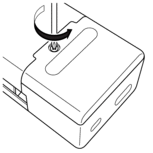
- Place the scanner face down and remove the screw using a screwdriver, as shown in the illustration.
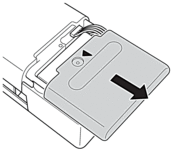
- Slide and remove the Battery Cover.
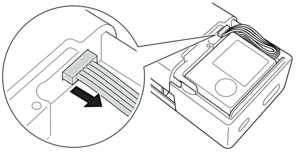
- Remove the rechargeable Li-ion battery from the scanner and disconnect the battery connector from the connector port.
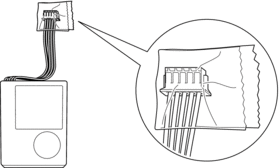
- Cover the rechargeable Li-ion battery terminals with tape and dispose of the battery according to local regulations.
Install the New Rechargeable Li-ion Battery
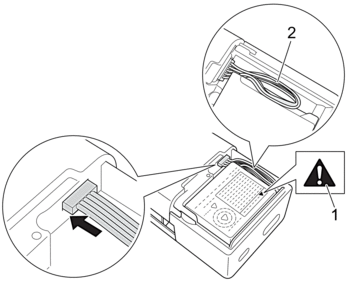
- Connect the new rechargeable Li-ion battery connector to the connector port, and then insert the new battery into your scanner.
- NOTE
-
- Install the battery with the warning label (1) facing up.
- Do not remove or damage the warning label on the battery.
- Stow the cables (2) securely within the battery holder so that they do not stick out.
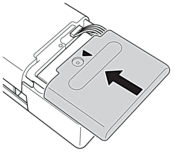
- Slide the Battery Cover onto the back of the scanner.
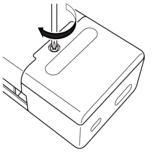
- Insert the screw and tighten it using a screwdriver.
Did you find the information you needed?