

Home > Troubleshooting > Document Jam


Document Jam
A document can jam if it is not inserted or fed correctly, or if it is too long.
- (DSmobile DS-740De/DSmobile DS-940DWe) Open the Output Guide.
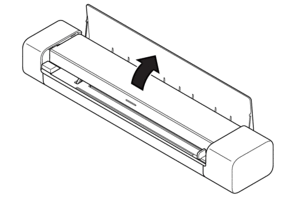
- Open the Top Cover.
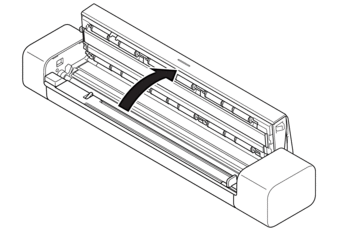
- Gently pull the jammed document out of the machine.
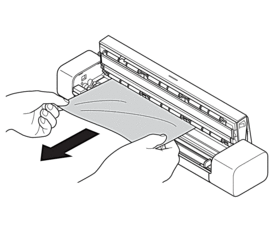
 Check for ripped paper inside the machine. Remove any paper scraps you find inside the machine.
- Close the Top Cover.
- (DSmobile DS-740De/DSmobile DS-940DWe) Close the Output Guide.
- IMPORTANT
-
- To avoid damage to the jammed document, DO NOT pull the document out before opening the Top Cover.
- To avoid future document jams, do the following:
- Close the Top Cover correctly by pushing it gently in the center.
- Configure the settings for your document correctly.
- Make sure your document is acceptable for the machine.
- Load your document correctly.
- When using long paper, to avoid a paper jam, you must select the Long Paper option from the Document Size menu.
Did you find the information you needed?