

Home > Introduction to Your Brother Machine > Set Up Your Scanner


Set Up Your Scanner
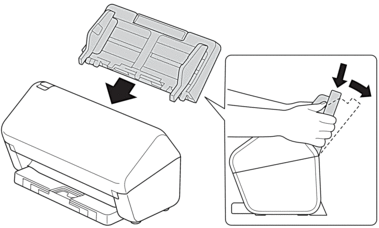
- Attach the ADF firmly until it locks into place.
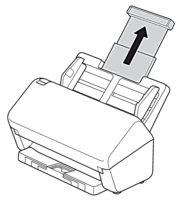
- Pull the Extendable Tray from the ADF.
- Extend the Output Tray to match the length of the document pages.
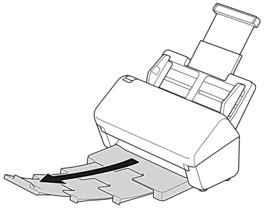

- If the Output Tray is even slightly longer than the document size, pages may not be in their original order when you retrieve them from the Output Tray.
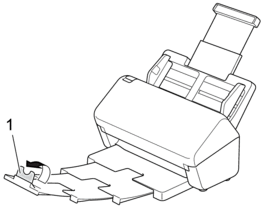
- Lift and unfold the Document Stopper (1).
- CAUTION
- Do not use the ADF as a handle to carry the scanner.
Did you find the information you needed?