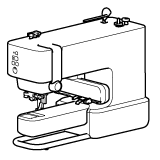
[Initialization procedure]
Note: Illustrations shown below are from a representative mobile device, and may differ from your mobile device.
-
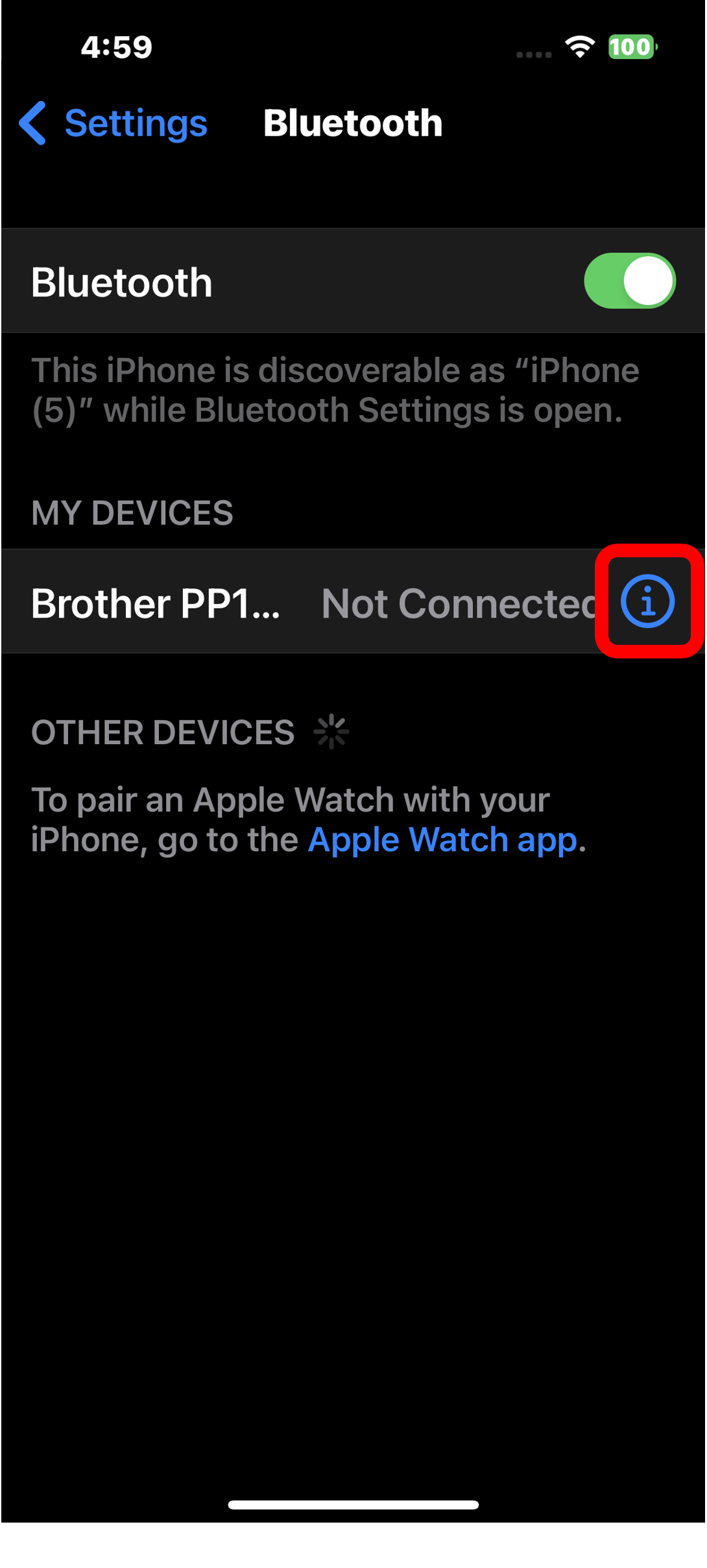
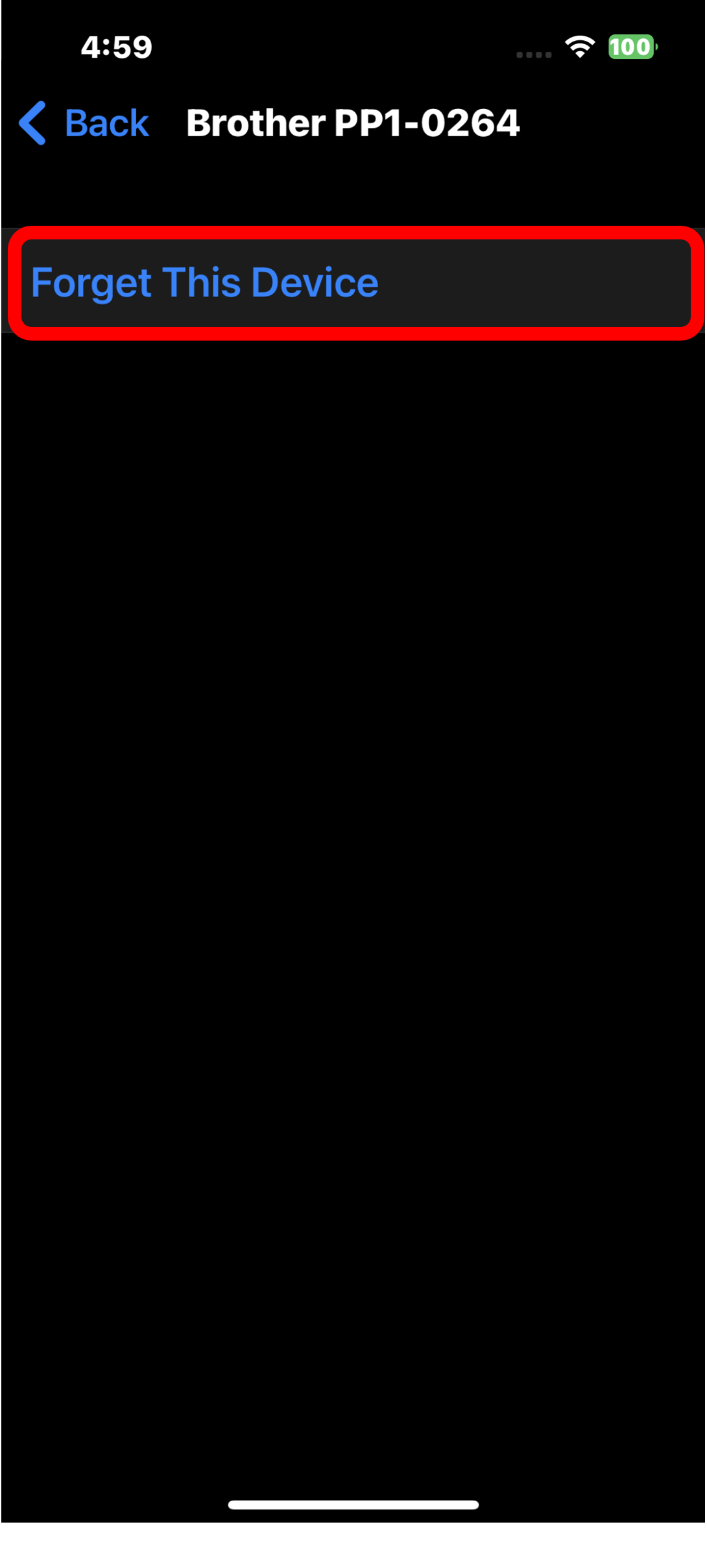
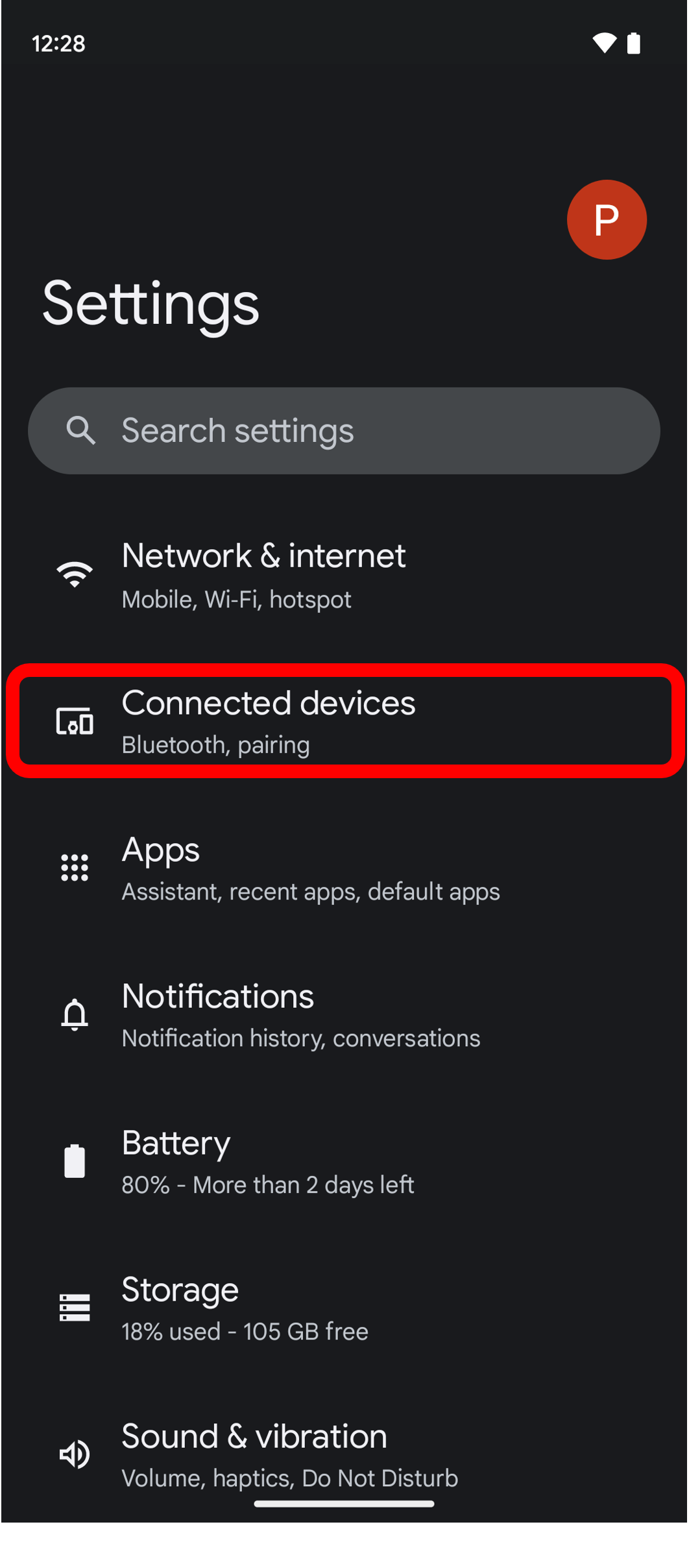
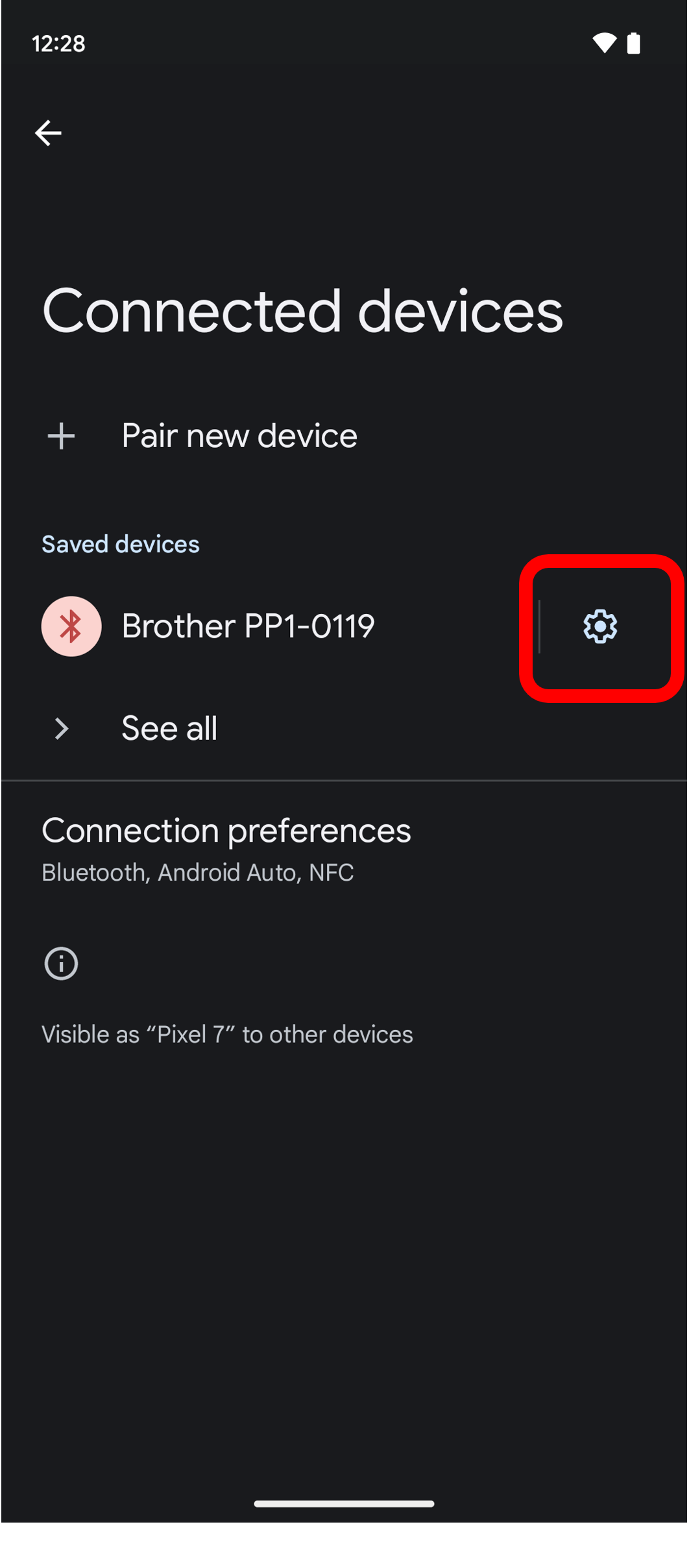
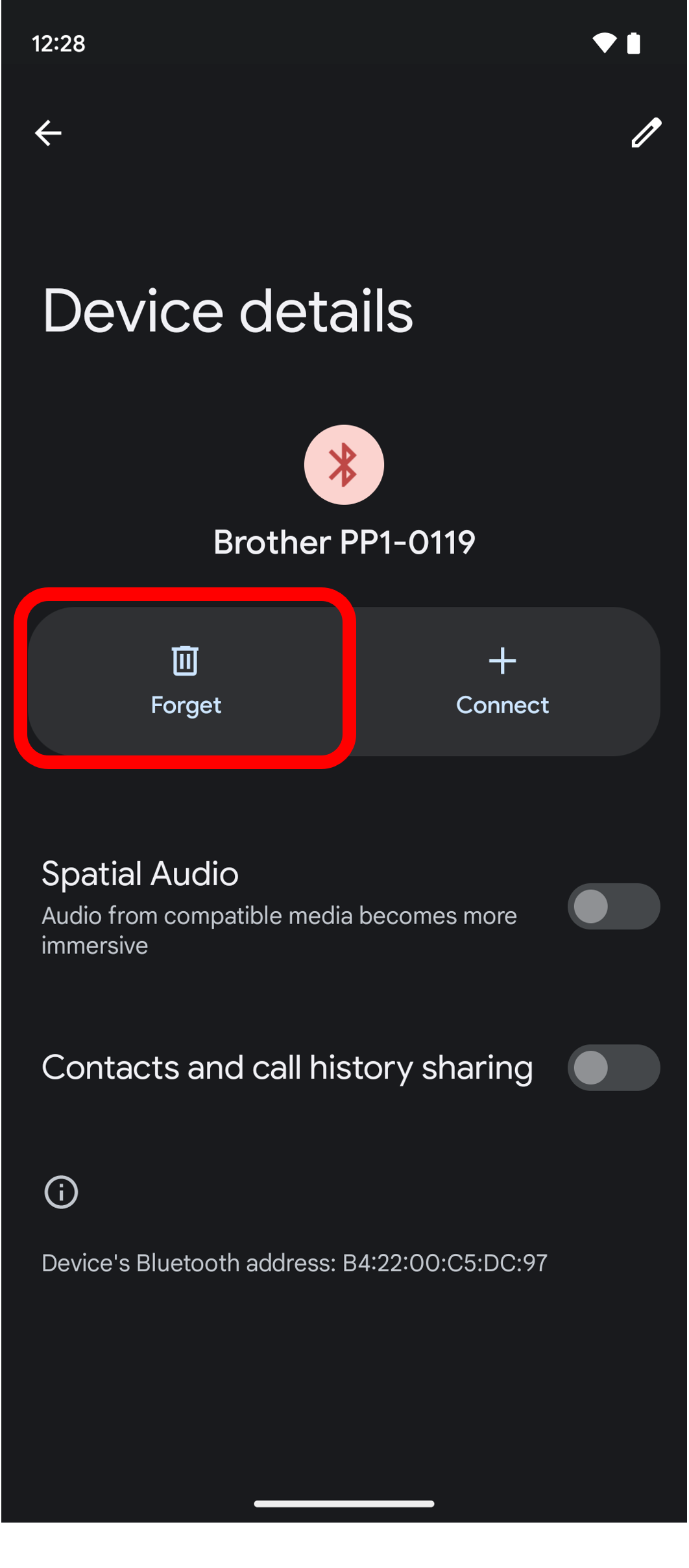
Delete the connection information of the Embroidery Machine from the Bluetooth connection destination on the setting screen of your mobile device.
[For iOS version 16]

[For Android OS version 13]
- Quit Artspira, then start Artspira again.
-
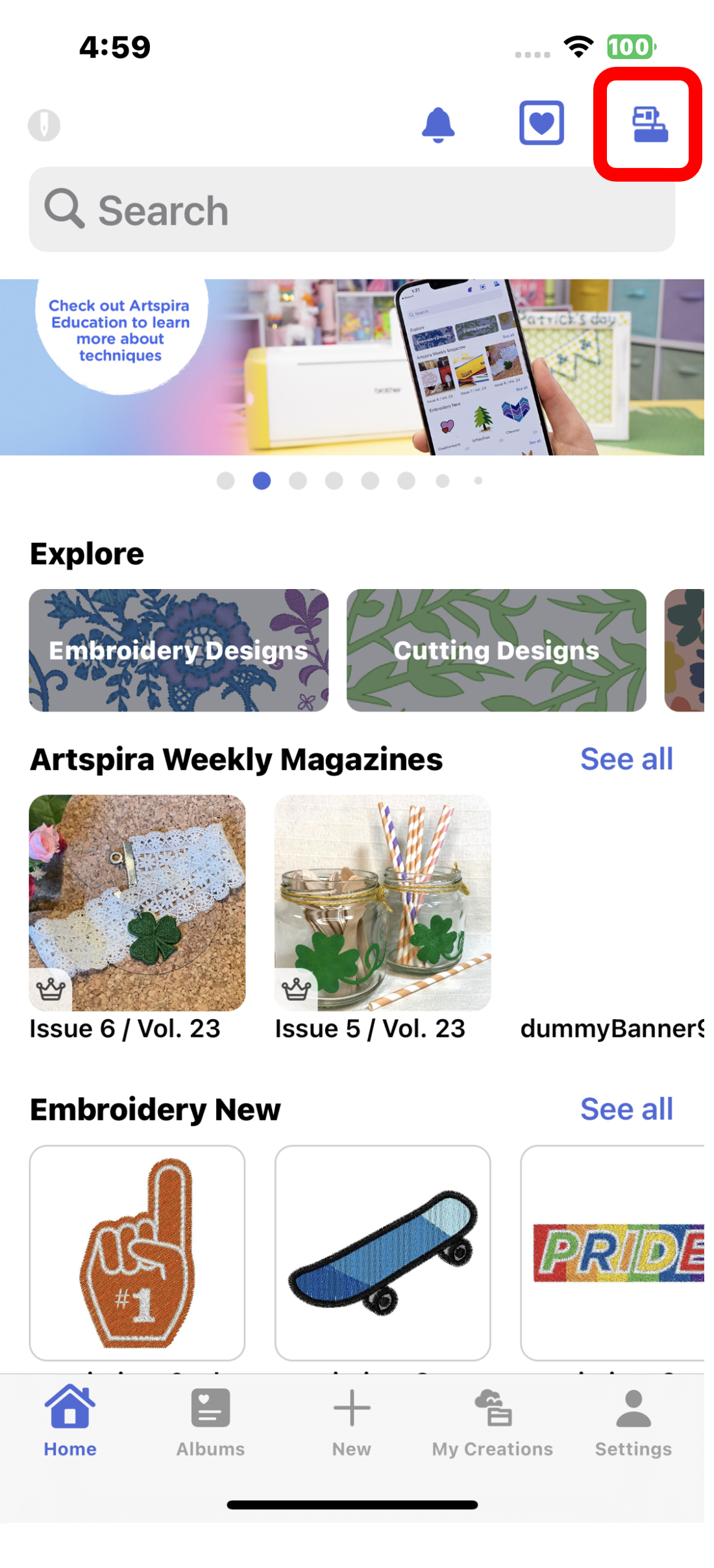
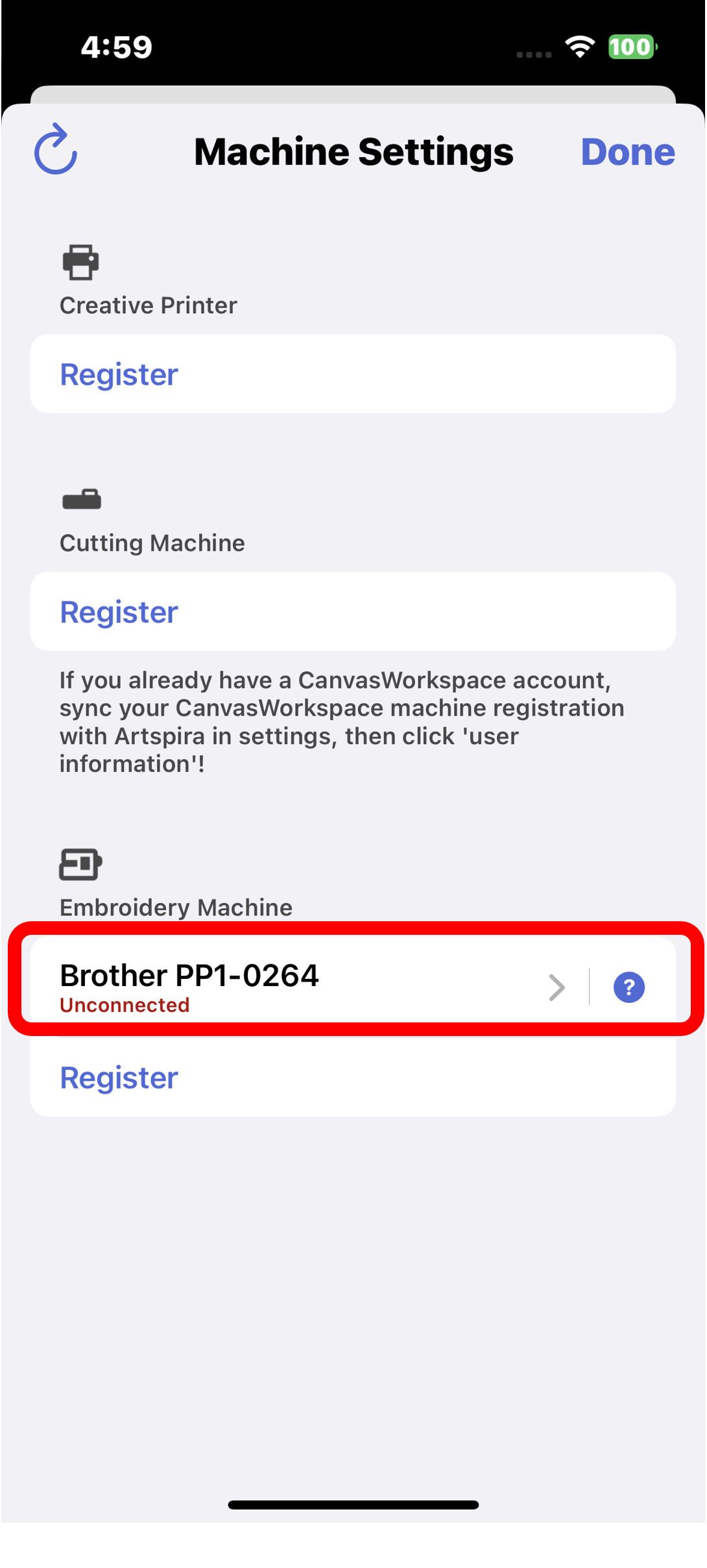
Delete the connection information for the embroidery machine on the Artspira machine settings screen.
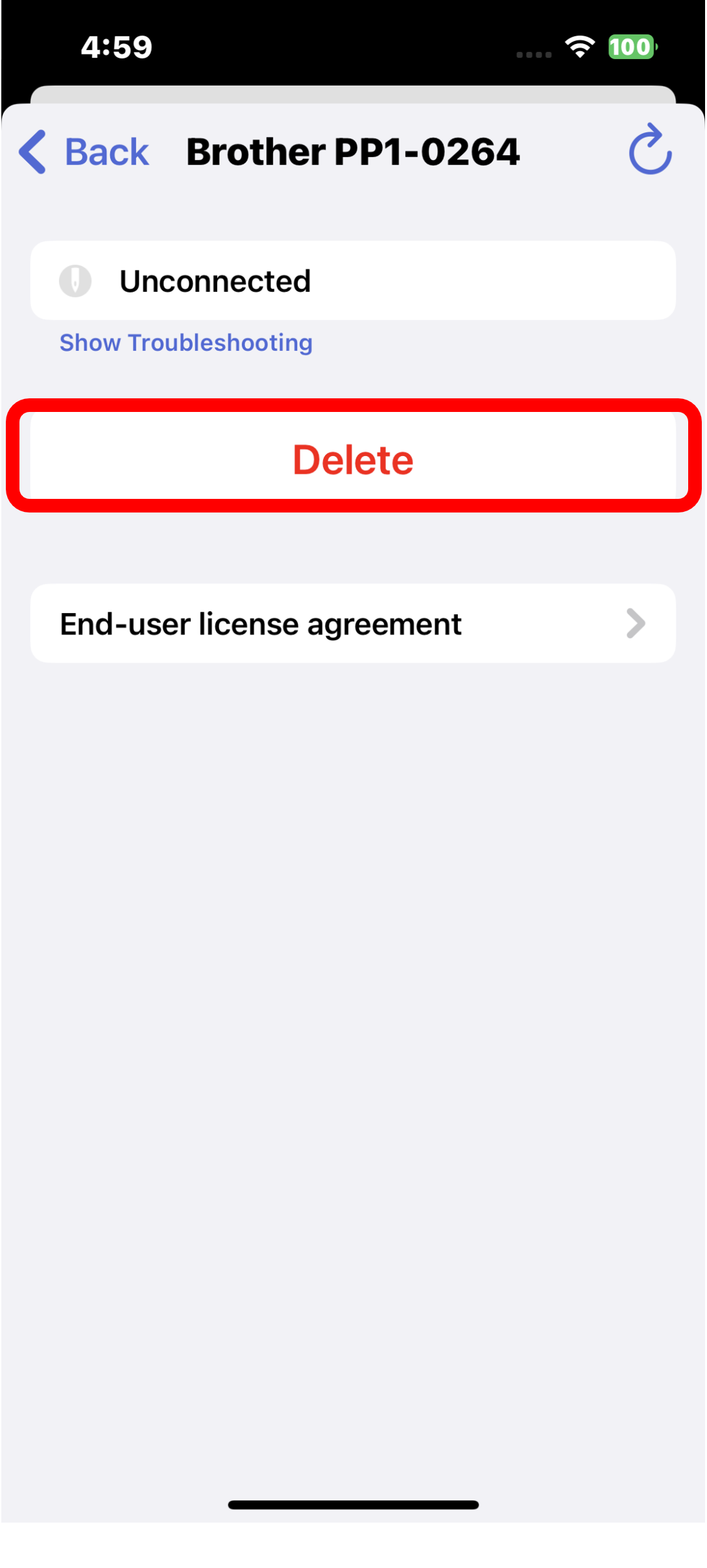
- Turn off the embroidery machine and then turn on the embroidery machine again.
-
Connect Artspira and Embroidery Machine via Bluetooth.
For installation instructions. [Connecting the machine and app]