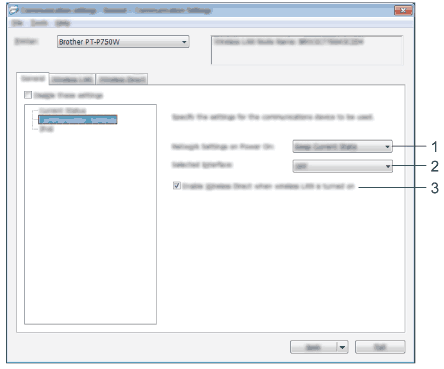
Determines the conditions for connecting via Wireless LAN when the printer is turned on. Select [Wireless LAN by Default], [Off by default] or [Keep Current State].
2.
Selected Interface
Select [OFF] or [Wireless LAN].
3.
Enable Wireless Direct when Wireless LAN is turned on