

Home > Print Labels > Print Labels > Print Options


Print Options
To change print options, press  , and then press
  .
.
, and then press .
| Option | Description | |
|---|---|---|
| Copies | Select the number of copies (1-99) you want. | |
| Page | All | When you print serialised labels, print all labels. |
| Current | When you print serialised labels, print only the label where the cursor is positioned. | |
| Range | When you print serialised labels, specify the first and last label to print. | |
| Order | When you print multiple copies of serialised labels, print them in sorted or stacked order. | |
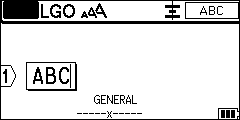
| Invert | Invert the character colour and the background colour on the label. | |
 |  |  |
| Mirror | Use clear tape when using this option, so the label can be read correctly from the opposite side when attached to glass, windows, or other transparent surfaces. | |
| |  |
Did you find the information you needed?