

Home > Install Software > Connect the Printer to a Computer or Mobile Device > Connect Using a USB Cable


Connect Using a USB Cable
The USB Type-C cable is not included.
- Turn off the printer.
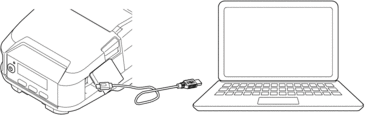
- Connect the USB cable to the USB port (USB Type-C) on the printer, and then to your computer.
- Turn on the printer.
Did you find the information you needed?