

Home > Standalone Printing > Call Up the Transferred Template on the Printer's LCD and Print > Edit Template Objects Before Printing


Edit Template Objects Before Printing
After you select a template or a template and database, you can edit the objects contained in the template.
- After selecting a template or selecting a template and database, press
 on the copy number entry screen to enter Object edit mode.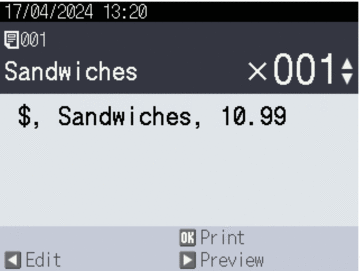
- Press
 or
or  to select the object. Press OK.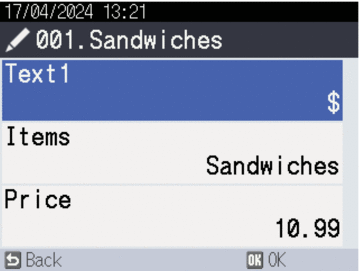
- When the search results appear, press or to select desired item. Press OK.
- Touch the on-screen button to edit the object, and then press OK.
Did you find the information you needed?