MFC-L5802DW
 |
FAQs & Troubleshooting |
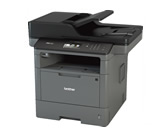
MFC-L5802DW
Search by Keyword(s)
Categorized
How To / Troubleshooting
Setup / Settings
Consumables & Accessories / Routine Maintenance
Others
Popular
Updated:10/16/2026
These are the most viewed FAQs, ranked by popularity.
- 1.I updated my Windows 11 PC through Windows Update and I can no longer Print, Scan or Fax from my PC.
- 2.(Video) Load A4/Letter paper
- 3.I cannot repair the wired or wireless connection using the Network Connection Repair Tool (Windows)
- 4.I installed the Full Driver & Software Package, but some applications were not installed. (For Windows 10)
- 5.Curled or wavy
Latest
These are the latest FAQs, sorted by last update date.
10/02/2026
Install BRAdmin Professional 3
10/01/2026
What kind of envelopes and labels are recommended for printing?
10/01/2026
My Brother machine could not be found over the network when I installed drivers on my computer.
10/01/2026
I still receive the error message "Replace Drum", "Drum End Soon", or "Drum Stop" after I replace the drum unit with a new one.
10/01/2026
Use voice mail on the same line as my Brother machine.