HL-L6402DW
 |
FAQs & Troubleshooting |
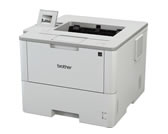
HL-L6402DW
Search by Keyword(s)
Categorized
How To / Troubleshooting
Setup / Settings
Consumables & Accessories / Routine Maintenance
Others
Popular
Updated:10/30/2026
These are the most viewed FAQs, ranked by popularity.
Latest
These are the latest FAQs, sorted by last update date.
10/02/2026
Install BRAdmin Professional 3
10/01/2026
What kind of envelopes and labels are recommended for printing?
10/01/2026
My Brother machine could not be found over the network when I installed drivers on my computer.
10/01/2026
What is Brother Web Connect?
10/01/2026
I still receive the error message "Replace Drum", "Drum End Soon", or "Drum Stop" after I replace the drum unit with a new one.