
HL-5280DW
 |
FAQs & Troubleshooting |
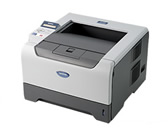
HL-5280DW
Search by Keyword(s)
Categorized
How To / Troubleshooting
Setup / Settings
Consumables & Accessories / Routine Maintenance
Others
Popular
Updated:10/09/2026
These are the most viewed FAQs, ranked by popularity.
- 1.Can I print from and scan to iPhone, iPod touch and iPad?
- 2.The printer status is Offline or Paused.
- 3.Wireless setup is requesting a WPS PIN to complete the setup
- 4.I configured the "IP Config" method of the machine to "Auto" to assign an IP address automatically, however it was changed to "Static" unexpectedly. I get an error message that indicates IP address is not unique, or a document is printed out by the machine I didn't expected. What can I do?
- 5.Can I print from or scan to Android™ Smartphone?
Latest
These are the latest FAQs, sorted by last update date.
10/01/2026
I still receive the error message "Replace Drum", "Drum Near End", or "Drum End Soon" after I replace the drum unit with a new one.
10/01/2026
In Windows, the Brother printer driver windows are in a foreign language. How can I change the printer driver windows to be in a local language?
06/01/2026
How to identify your Operating System (OS).
02/05/2026
I cannot find a file downloaded from the Brother support website (For Windows)
07/02/2025
'Get More Info' option in Windows 2000 is not working with IPP. What should I do?