DCP-7065DN
 |
FAQs & Troubleshooting |
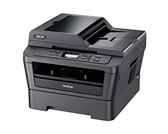
DCP-7065DN
Search by Keyword(s)
Categorized
How To / Troubleshooting
Setup / Settings
Consumables & Accessories / Routine Maintenance
Others
Popular
Updated:10/26/2026
These are the most viewed FAQs, ranked by popularity.
- 1.The error message "No Supported Devices Found" appears on the Brother iPrint&Scan screen (mobile device).
- 2.REPLACE DRUM
- 3.I just replaced the toner cartridge and the LCD continues to display the message "Toner Low" / "Replace Toner" / "Toner Ended" or the Toner LED is still on or flashing.
- 4.How to identify your Operating System (OS).
- 5.Toner Low or Prepare New Toner Cartridge
Latest
These are the latest FAQs, sorted by last update date.
10/01/2026
I still receive the error message "Replace Drum", "Drum End Soon", "Drum Near End", or "Drum Stop" after I replace the drum unit with a new one.
10/01/2026
Print on envelopes, labels, or thick paper from the manual feed slot.
09/10/2026
Set up my Brother machine's automatic 2-sided(duplex) or booklet print.
06/01/2026
How to identify your Operating System (OS).
05/08/2026
Uninstall the Brother Software and Drivers (Windows)