
RJ-2030
 |
FAQs & Troubleshooting |
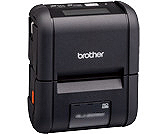
RJ-2030
Search by Keyword(s)
Categorized
Getting Started
Easy Tasks
Troubleshooting
Others
Popular
Updated:09/18/2026
These are the most viewed FAQs, ranked by popularity.
- 1.How do I transfer label or slip templates?
- 2.How do I insert/change the paper or label roll?
- 3.This printer is not detected when establishing a Bluetooth® connection.
- 4.How do I connect RJ printer to my computer?
- 5.I cannot connect to the printer via Bluetooth®/Wireless Direct using the Brother Print Service Plugin (Android™ 12 or later).
Latest
These are the latest FAQs, sorted by last update date.
09/11/2026
I get an error when connecting Excel (.xlsx, .xlsm) or Access (.accdb) database files in P-touch Editor 5.4.017 or later (Windows)
08/28/2026
Using the Device Settings (for Windows)
08/26/2026
What do the indicator lights mean?
08/26/2026
How do I transfer label or slip templates?
08/26/2026
How do I connect RJ printer to my computer?