
MFC-J4320DW
 |
FAQs & Troubleshooting |
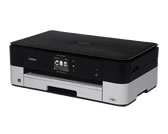
MFC-J4320DW
Search by Keyword(s)
Categorized
How To / Troubleshooting
Setup / Settings
Consumables & Accessories / Routine Maintenance
Others
Popular
Updated:10/26/2026
These are the most viewed FAQs, ranked by popularity.
- 1.I updated my Windows 11 PC through Windows Update and I can no longer Print, Scan or Fax from my PC.
- 2.I installed the Full Driver & Software Package, but some applications were not installed. (For Windows 10)
- 3.Can I print from and scan to iPhone, iPod touch and iPad?
- 4.When I try to scan the document, the scanner application crashes. (OS X 10.11)
- 5.The scanned data is attached to an E-mail application which I do not use regularly, or the error message indicating no default E-mail application is registered on my computer (CC4-121-[error code]) when trying to scan a document directly into my E-mail application using ControlCenter4 or the SCAN key on my Brother machine.
Latest
These are the latest FAQs, sorted by last update date.
10/01/2026
My Brother machine could not be found over the network when I installed drivers on my PC.
10/01/2026
Ink is still wet after printing on Glossy Paper and even after ink dries, smudge appears.
10/01/2026
Use voice mail on the same line as my Brother machine.
10/01/2026
When choosing grayscale printing in the printer driver, does this use only the black ink or all the ink cartridges to produce the grayscale image?
10/01/2026
Glossy Paper does not feed correctly.