
MFC-7440N
 |
FAQs & Troubleshooting |
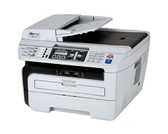
MFC-7440N
Search by Keyword(s)
Categorized
How To / Troubleshooting
Setup / Settings
Consumables & Accessories / Routine Maintenance
Others
Popular
Updated:26/08/2026
These are the most viewed FAQs, ranked by popularity.
- 1.I cannot use the Scan to E-mail with Outlook2003 or Outlook2007 after updating ControlCenter3. The error message "command line argument is invalid" appears. What can I do?
- 2.When scanning to OCR from Brother Control Center3, the OCR application doesn't launch. I have Windows XP Service Pack 2 (SP2) installed. What should I do?
- 3.I'm using Windows. When I try to Scan to E-mail I get an error saying "the command line argument is not valid. Verify the switch you are using". What should I do?
- 4.I'm using Windows 2000 and Windows XP. I want to use a name from my address book to send a FAX. The address book is stored on a network share and when I try to access the address book I can not open it.
- 5.My Antivirus Software gives a warning message during the installation of Web BRAdmin.
Latest
These are the latest FAQs, sorted by last update date.
01/06/2026
How to identify your Operating System (OS).
05/02/2026
I cannot find a file downloaded from the Brother support website (For Windows)
19/01/2026
I can print but cannot scan via network. (For Mac)
05/11/2025
I cannot find some option in the Printing preferences. (For Windows)
30/07/2025
I'm using Voice Over Internet Protocol (VoIP) and am having problems receiving faxes.