
PE-DESIGN 8
 |
FAQs & Troubleshooting |
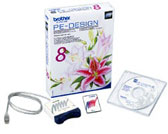
PE-DESIGN 8
Search by Keyword(s)
Categorized
How-to FAQs
Troubleshooting
Popular
Updated:30/10/2026
These are the most viewed FAQs, ranked by popularity.
- 1.Why do I receive the Warning Message "Please change direction of sewing Region"?
- 2.When I sew an embroidery pattern design exported as DST format in PE-DESIGN, how do I specify whether or not the jump stitches are cut on the embroidery machine of the Innov-is series?
- 3.When I create an embroidery pattern design on PE-DESIGN(PE-DESIGN, PE-DESIGN Lite, or PED-Basic), what Design Page Size is my sewing machine?
- 4.Why doesn't PE-DESIGN run properly on a Macintosh Virtual PC system?
- 5.Why can't I select the 110 mm x 110 mm Design Page Size?
Latest
These are the latest FAQs, sorted by last update date.
23/04/2020
Can PE-DESIGNs work with all versions of Windows?
16/02/2017
When I create an embroidery pattern design on PE-DESIGN(PE-DESIGN, PE-DESIGN Lite, or PED-Basic), what Design Page Size is my sewing machine?
13/06/2016
Why do I receive the Warning Message "Please change direction of sewing Region"?
09/06/2016
I've written the pattern onto the original card and selected it on the sewing machine, but I can't change the sewing position.
31/03/2016
Is the stitch count recalculated in the program when a design is changed from its original size?