
HL-5070N
 |
FAQs & Troubleshooting |
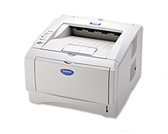
HL-5070N
Search by Keyword(s)
Categorized
How To / Troubleshooting
Setup / Settings
Consumables & Accessories / Routine Maintenance
Others
Popular
Updated:22/10/2026
These are the most viewed FAQs, ranked by popularity.
- 1.Install the Windows 7 built-in drivers from the Windows Update provided by Microsoft®.
- 2.How can I change the IP address using the ARP and PING commands?
- 3.How do I install the Optional Tray Unit? - For Europe and Asia/Oceania
- 4.Functions supported in the Windows 7 built-in drivers
- 5.Change the printer driver settings (Windows/macOS)
Latest
These are the latest FAQs, sorted by last update date.
05/10/2026
Print on envelopes.
01/10/2026
I cannot print from Mac OS X.
01/10/2026
In Windows, the Brother printer driver windows are in a foreign language. How can I change the printer driver windows to be in a local language?
01/10/2026
Replace the drum unit.
01/10/2026
Why does the Drum LED blink?