
PS-9000
 |
FAQs & Troubleshooting |
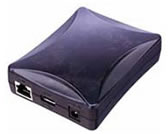
PS-9000
Search by Keyword(s)
Categorized
Easy Tasks
Troubleshooting
Others
Popular
Updated:10/23/2026
These are the most viewed FAQs, ranked by popularity.
- 1.The "ping" command reports that I can communicate with the PS-9000, but I cannot print.
- 2.Suddenly my print server stopped printing.
- 3.The green LED blinks on the P-touch printer, and the printer cannot be used.
- 4.How do I reset the PS-9000 to factory default settings?
- 5.I cannot discover the product with the configuration utility.
Latest
These are the latest FAQs, sorted by last update date.
11/06/2020
What do the LEDs on PS-9000 indicate?
11/02/2020
I cannot discover the product with the configuration utility.
11/02/2020
A different IP address is assigned every time the product is booted.
10/16/2020
The QL-500/550/650TD status is not displayed correctly on the PS-9000's browser display.
10/15/2020
How can I check the IP address currently set on the PS-9000 (only for PS-9000 Utility Ver1.2.0)?