
FAX-817/FAX-817S
 |
FAQs & Troubleshooting |
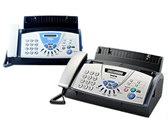
FAX-817/ FAX-817S
Search by Keyword(s)
Categorized
How To / Troubleshooting
Setup / Settings
Consumables & Accessories / Routine Maintenance
Others
Popular
Updated:10/23/2026
These are the most viewed FAQs, ranked by popularity.
Latest
These are the latest FAQs, sorted by last update date.
10/17/2018
The error message "No Supported Devices Found" appears on the Brother iPrint&Scan (mobile device).
03/25/2016
Can I print from or scan to Android™ Smartphone?
03/25/2016
Can I print from and scan to iPhone, iPod touch and iPad?
01/27/2014
How do I replace the ribbon? (Ribbon Empty -Reset or Replace)
01/27/2014
Can I confirm that the FAX was sent correctly?