
PT-E310BT
 |
FAQs & Troubleshooting |
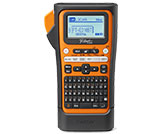
PT-E310BT
Search by Keyword(s)
Categorized
Getting Started
Easy Tasks
Troubleshooting
Others
Popular
Updated:10/09/2026
These are the most viewed FAQs, ranked by popularity.
- 1.The text is not displayed correctly, or the printed label is blank. (iPrint&Label, P-touch Design&Print 2, Smooth Print and Pro Label Tool for iOS)
- 2.Where can I download the latest P-touch Editor for Mac?
- 3.How do I set cut options and what features are they?
- 4.How do I make a label with a barcode?
- 5.How do I print multiple lines and how many lines can I print?
Latest
These are the latest FAQs, sorted by last update date.