
TD-4550DNWB
 |
FAQs & Troubleshooting |
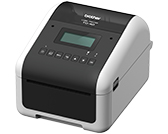
TD-4550DNWB
Search by Keyword(s)
Categorized
Getting Started
Easy Tasks
Troubleshooting
Others
Popular
Updated:30/10/2026
These are the most viewed FAQs, ranked by popularity.
- 1.Although "Auto Power On" or "Power On When Plugged in" is set to On in the Printer Setting Tool, the printer does not turn on automatically.
- 2.What methods can I use to configure wireless settings?
- 3.How do I transfer label or slip templates?
- 4.I cannot select the label size or print after installing the printer driver using a USB connection. (Windows 11)
- 5.The printer does not enter the sleep mode when it is connected via a wireless LAN.
Latest
These are the latest FAQs, sorted by last update date.
26/08/2026
How do I transfer label or slip templates?
26/08/2026
What iOS mobile application can I use?
26/08/2026
What Android™ mobile application can I use?
06/08/2026
I cannot select my printer in a Brother app when trying to print or configure settings using a USB connection. (Windows 11)
06/08/2026
I cannot select the label size or print after installing the printer driver using a USB connection. (Windows 11)
