
PT-P300BT
 |
FAQs & Troubleshooting |
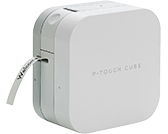
PT-P300BT
Search by Keyword(s)
Categorized
Getting Started
Easy Tasks
Troubleshooting
Others
Popular
Updated:23/10/2026
These are the most viewed FAQs, ranked by popularity.
- 1.The printer stops printing, the power LED blinks in red, and my mobile device displays an error message.
- 2.The text is not displayed correctly, or the printed label is blank. (iPrint&Label, P-touch Design&Print 2, Smooth Print and Pro Label Tool for iOS)
- 3.The printer does not print from my mobile device or does not print correctly.
- 4.Small printed characters are blurred. (P-touch Design&Print / Design&Print 2)
- 5.The printer stops while printing, or the tape is cut in the middle of the text.
Latest
These are the latest FAQs, sorted by last update date.
26/08/2026
What iOS mobile application can I use?
26/08/2026
What Android™ mobile application can I use?
02/02/2026
The text is not displayed correctly, or the printed label is blank. (iPrint&Label, P-touch Design&Print 2, Smooth Print and Pro Label Tool for iOS)
05/01/2026
How is the print head cleaning cassette used?
21/10/2024
The printer is not connected to my mobile device correctly.