HL-2270DW
 |
FAQs & Troubleshooting |
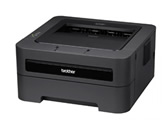
HL-2270DW
Search by Keyword(s)
Categorized
How To / Troubleshooting
Setup / Settings
Consumables & Accessories / Routine Maintenance
Others
Popular
Updated:18/09/2026
These are the most viewed FAQs, ranked by popularity.
- 1.Can I use AirPrint with my Brother machine?
- 2.(Video) The error message "No Supported Devices Found" appears on the Brother iPrint&Scan screen (mobile device).
- 3.I just replaced the toner cartridge and the LCD continues to display the message "Toner Low" / "Replace Toner" / "Toner Ended" or the Toner LED is still on or flashing.
- 4.Use the Network Connection Repair Tool (Windows)
- 5.I cannot connect to the printer via Wi-Fi Direct using the Brother Print Service Plugin (Android™ 12 or later).
Latest
These are the latest FAQs, sorted by last update date.
10/09/2026
Set up my Brother machine's automatic 2-sided(duplex) or booklet print.
09/09/2026
Print on both sides of the paper (Auto 2-sided/duplex Printing).
09/09/2026
Reprint the last print job. (For Windows users only)
01/06/2026
How to identify your Operating System (OS).
08/05/2026
Uninstall the Brother Software and Drivers (Windows)