
PT-E310BT
 |
FAQs & Troubleshooting |
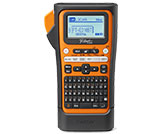
PT-E310BT
Search by Keyword(s)
Categorized
Getting Started
Easy Tasks
Troubleshooting
Others
Popular
Updated:09/10/2026
These are the most viewed FAQs, ranked by popularity.
- 1.How do I transfer label or slip templates?
- 2.The text is not displayed correctly, or the printed label is blank. (iPrint&Label, P-touch Design&Print 2, Smooth Print and Pro Label Tool for iOS)
- 3.I cannot print large characters on the heat shrink tube HSe 3:1.
- 4.The display remains blank after the power is turned on.
- 5.I cannot install the printer driver or print in Windows 11.
Latest
These are the latest FAQs, sorted by last update date.