
MFC-L3760CDW
 |
FAQs & Troubleshooting |
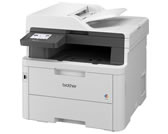
MFC-L3760CDW
Search by Keyword(s)
Categorized
How To / Troubleshooting
Setup / Settings
Consumables & Accessories / Routine Maintenance
Others
Popular
Updated:13.10.2026
These are the most viewed FAQs, ranked by popularity.
- 1.I updated my Windows 11 PC through Windows Update and I can no longer Print, Scan or Fax from my PC.
- 2.The printer status is Offline or Paused.
- 3.What is the default password for my BRAdmin or Web Based Management?
- 4.What is the default password for my Brother machine?
- 5.The message "Retry Updating by USB", "Retry by USB" or "Try updating by Firmware Update tool." appears on the machine's LCD when the machine is turned on.
Latest
These are the latest FAQs, sorted by last update date.
01.10.2026
My Brother machine could not be found over the network when I installed drivers on my computer.
01.10.2026
I still receive the error message "Replace Drum", "Drum End Soon" or "Drum Stop" after I replace the drum unit with a new one.
17.09.2026
I get notifications about Intel-based apps on my Mac with Apple silicon.
18.08.2026
I cannot scan via network.
10.08.2026
I cannot use some Brother apps or functions. (Windows 11)
