
MFC-J2720
 |
FAQs & Troubleshooting |
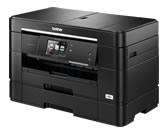
MFC-J2720
Search by Keyword(s)
Categorized
How To / Troubleshooting
Setup / Settings
Consumables & Accessories / Routine Maintenance
Others
Popular
Updated:04.11.2026
These are the most viewed FAQs, ranked by popularity.
- 1.(Video) Load A3/Ledger paper (Tray1)
- 2.I updated my Windows 11 PC through Windows Update and I can no longer Print, Scan or Fax from my PC.
- 3.I cannot repair the wired or wireless connection using the Network Connection Repair Tool (Windows)
- 4.I installed the Full Driver & Software Package, but some applications were not installed. (For Windows 10)
- 5.Can I print from and scan to iPhone, iPod touch and iPad?
Latest
These are the latest FAQs, sorted by last update date.
01.10.2026
My Brother machine could not be found over the network when I installed drivers on my PC.
01.10.2026
Ink is still wet after printing on Glossy Paper and even after ink dries, smudge appears.
01.10.2026
Use voice mail on the same line as my Brother machine.
01.10.2026
When choosing grayscale printing in the printer driver, does this use only the black ink or all the ink cartridges to produce the grayscale image?
01.10.2026
Glossy Paper does not feed correctly.