HL-6180DW
 |
FAQs & Troubleshooting |
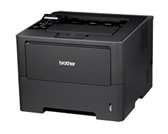
HL-6180DW
Search by Keyword(s)
Categorized
How To / Troubleshooting
Setup / Settings
Consumables & Accessories / Routine Maintenance
Others
Popular
Updated:02.11.2026
These are the most viewed FAQs, ranked by popularity.
- 1.I cannot print using my Brother machine on a wireless network (Windows)
- 2.I cannot repair the wired or wireless connection using the Network Connection Repair Tool (Windows)
- 3.I cannot print using my Brother machine on a wired network. (Windows/macOS)
- 4.Print the Network Configuration Report
- 5.Jam Tray 1 or Jam Tray 2
Latest
These are the latest FAQs, sorted by last update date.