
HL-6050D
 |
FAQs & Troubleshooting |
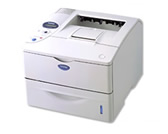
HL-6050D
Search by Keyword(s)
Categorized
How To / Troubleshooting
Setup / Settings
Consumables & Accessories / Routine Maintenance
Others
Popular
Updated:22.10.2026
These are the most viewed FAQs, ranked by popularity.
- 1.The message "[file name] can't be opened because it is from an unidentified developer." appears on OS X v10.8.x.
- 2.What is a "Generic PCL Driver"?
- 3.How do I factory reset the print server?
- 4.How can I activate/deactivate the Toner Save Mode?
- 5.The error message "Invalid format for short nick name" appears when printing a document. (Mac OS X 10.5 or greater)
Latest
These are the latest FAQs, sorted by last update date.