HL-4150CDN
 |
FAQs & Troubleshooting |
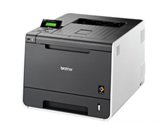
HL-4150CDN
Search by Keyword(s)
Categorized
How To / Troubleshooting
Setup / Settings
Consumables & Accessories / Routine Maintenance
Others
Popular
Updated:17.09.2026
These are the most viewed FAQs, ranked by popularity.
Latest
These are the latest FAQs, sorted by last update date.
01.06.2026
How to identify your Operating System (OS).
08.05.2026
Uninstall the Brother Software and Drivers (Windows)
09.03.2026
I cannot install the printer driver or print in Windows 11.
05.02.2026
I cannot find a file downloaded from the Brother support website (For Windows)
05.11.2025
I cannot find some option in the Printing preferences. (For Windows)