
HL-1240
 |
FAQs & Troubleshooting |
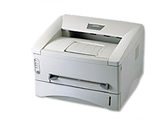
HL-1240
Search by Keyword(s)
Categorized
How To / Troubleshooting
Setup / Settings
Consumables & Accessories / Routine Maintenance
Others
Popular
Updated:22.10.2026
These are the most viewed FAQs, ranked by popularity.
- 1.The printer cannnot print and the error message "There was an error writing to LPT1:(or BRUSB) for the printer." appears on my PC. What should I do?
- 2.The machine does not print anything.
- 3.My printed documents are incomplete or a blue screen appears when printing or using PC-FAX after a Windows 10 update (March 2021)
- 4.I'm experiencing a problem when printing from Adobe® Acrobat®/ Acrobat® Reader®/ Reader®. What can I do to correct this?
- 5.Cannot print after a Windows 10 update (June 2020)
Latest
These are the latest FAQs, sorted by last update date.
01.10.2026
The Drum LED is still lit even after replacing the old drum unit with a new one. What can I do?
01.10.2026
I cannot print from Mac OS X.
01.10.2026
In Windows, the Brother printer driver windows are in a foreign language. How can I change the printer driver windows to be in a local language?
01.10.2026
Why does the Drum LED light?
01.10.2026
I'm using Mac OS® 8.6-9.2. How can I uninstall the drivers?