
PT-E310BT
 |
FAQs & Troubleshooting |
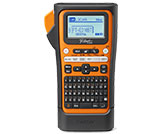
PT-E310BT
Search by Keyword(s)
Categorized
Getting Started
Easy Tasks
Troubleshooting
Others
Popular
Updated:09.10.2026
These are the most viewed FAQs, ranked by popularity.
- 1.How do I transfer label or slip templates?
- 2.Where can I find my Brother printer's serial number?
- 3.I cannot print large characters on the heat shrink tube HSe 3:1.
- 4.Some functions available in P-touch Editor 5.4 are not available in P-touch Editor 6.x. (for Windows)
- 5.Can I directly operate my printer from a self-developed application software and print a label?
Latest
These are the latest FAQs, sorted by last update date.