
DCP-T820DW
 |
FAQs & Troubleshooting |
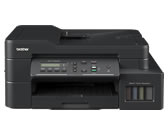
DCP-T820DW
Search by Keyword(s)
Categorized
How To / Troubleshooting
Setup / Settings
Consumables & Accessories / Routine Maintenance
Others
Popular
Updated:27.11.2026
These are the most viewed FAQs, ranked by popularity.
- 1.(Video) Load A4/Letter papers
- 2.The printer status is Offline or Paused.
- 3.The error message "No Supported Devices Found" appears on the Brother iPrint&Scan screen (mobile device).
- 4.I updated my Windows 11 PC through Windows Update and I can no longer Print, Scan or Fax from my PC.
- 5.I cannot print using my Brother machine on a wired network (Windows/macOS)
Latest
These are the latest FAQs, sorted by last update date.
13.11.2026
I cannot scan with a USB cable, some features are missing, or scanning is slow (Windows 11 / Windows 11 Arm)
01.10.2026
My Brother machine could not be found over the network when I installed drivers on my computer.
01.10.2026
Glossy Paper does not feed correctly.
17.09.2026
I get notifications about Intel-based apps on my Mac with Apple silicon.
18.08.2026
I cannot scan via network.
