DCP-9055CDN
 |
FAQs & Troubleshooting |
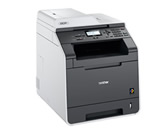
DCP-9055CDN
Search by Keyword(s)
Categorized
How To / Troubleshooting
Setup / Settings
Consumables & Accessories / Routine Maintenance
Others
Popular
Updated:08.09.2026
These are the most viewed FAQs, ranked by popularity.
- 1.Can I print from or scan to Android™ Smartphone?
- 2.I updated my Windows 11 PC through Windows Update and I can no longer Print, Scan or Fax from my PC.
- 3.Replace WT Box
- 4.I cannot repair the wired or wireless connection using the Network Connection Repair Tool (Windows)
- 5.The error message "No Supported Devices Found" appears on the Brother iPrint&Scan screen (mobile device).
Latest
These are the latest FAQs, sorted by last update date.
01.06.2026
How to identify your Operating System (OS).
08.05.2026
Uninstall the Brother Software and Drivers (Windows)
09.03.2026
I cannot install the printer driver or print in Windows 11.
03.03.2026
When I attempt to launch ControlCenter4, the application will not open or only opens a partial or blank window with no scan options.
03.03.2026
I cannot change the ControlCenter4 user interface from Advanced Mode to Home Mode because I cannot find the "Mode Select" option.