
PT-D450
 |
FAQs & Troubleshooting |
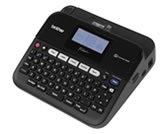
PT-D450
Search by Keyword(s)
Categorized
Getting Started
Easy Tasks
Troubleshooting
Others
Popular
Updated:22.10.2026
These are the most viewed FAQs, ranked by popularity.
- 1.Which brands of Ni-MH rechargeable batteries do you recommend?
- 2.How do I eliminate the margin from the start or end of my label when printing?
- 3.Why doesn't my printer turn on when the Power key is pressed?
- 4.I cannot install the printer driver or print in Windows 11.
- 5.I get an error message and cannot update the firmware. (Windows 10 or later)
Latest
These are the latest FAQs, sorted by last update date.