
RJ-3035B
 |
FAQs & Troubleshooting |
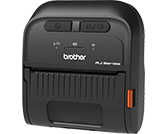
RJ-3035B
Search by Keyword(s)
Categorised
Getting Started
Easy Tasks
Troubleshooting
Others
Popular
Updated:22/10/2026
These are the most viewed FAQs, ranked by popularity.
- 1.How to install the Mac driver via USB / Wi-Fi® / wired network
- 2.Enable or disable Bluetooth Low Energy (BLE)
- 3.Using the CommTool (for Windows)
- 4.How to connect the printer to your computer (for Windows)
- 5.How to set Bluetooth Local Name or PIN code using the BPM (Brother Printer Management Tool)
Latest
These are the latest FAQs, sorted by last update date.
14/10/2026
I get an error when connecting Excel (.xlsx, .xlsm) or Access (.accdb) database files in P-touch Editor 5.4.017 or later (Windows)
30/04/2026
How to identify your Operating System (OS)
18/03/2026
I cannot print correctly using the Windows printer driver
18/03/2026
The printer does not start printing immediately
18/03/2026
How to open the Devices and Printers window
