MFC-L6915DN
 |
FAQs & Troubleshooting |
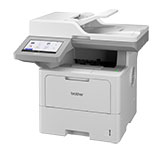
MFC-L6915DN
Search by Keyword(s)
Categorised
How To / Troubleshooting
Setup / Settings
Consumables & Accessories / Routine Maintenance
Others
Popular
Updated:22/10/2026
These are the most viewed FAQs, ranked by popularity.
- 1.I cannot repair the wired or wireless connection using the Network Connection Repair Tool (Windows)
- 2.What is the default password for my BRAdmin or Web Based Management?
- 3.(Video) Paper is Jammed inside the Machine
- 4.(Video) Paper is Jammed in the 2-sided Tray
- 5.The message "Retry Updating by USB", "Retry by USB" or "Try updating by Firmware Update tool." appears on the machine's LCD when the machine is turned on.
Latest
These are the latest FAQs, sorted by last update date.
14/10/2026
I get notifications about Intel-based apps on my Mac with Apple silicon.
26/08/2026
I cannot use some Brother apps or functions. (Windows 11)
26/08/2026
I cannot scan via network.
26/08/2026
A security warning appears when accessing Web Based Management via HTTPS.
22/06/2026
I get an error when installing a Brother printer driver (Windows 11)